Everything after handover, in one place.
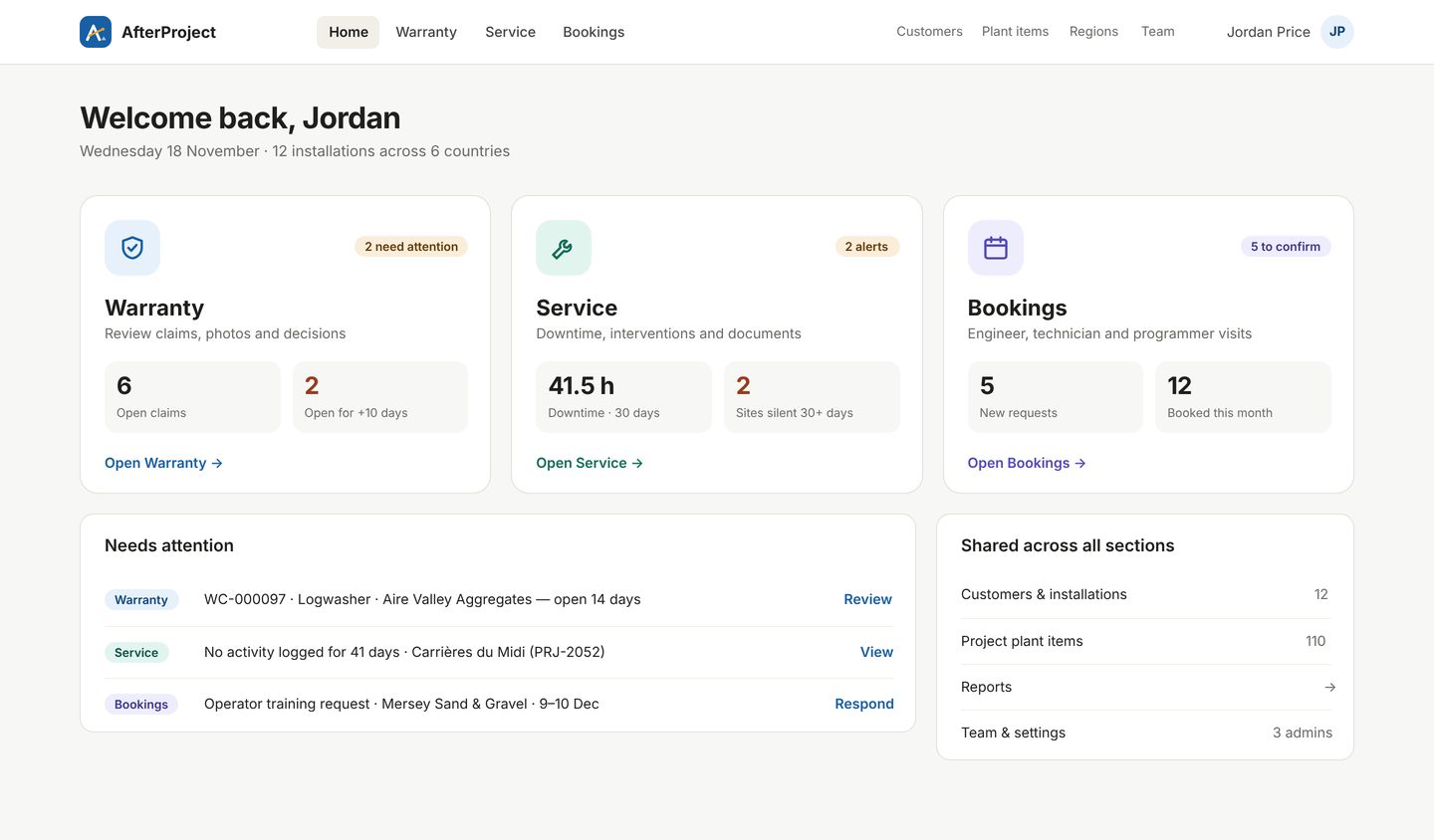
AfterProject gives your customers one app to report warranty claims, log service and request engineer visits — and gives your team one portal to review, decide and schedule, for every installation you've delivered.
The plant is installed. The paperwork never stops.
After commissioning, aftercare usually lives in inboxes, spreadsheets and phone calls. It's slow for your customers and invisible to your management.
Claims lost in email
Photos in one thread, serial numbers in another, and nobody sure whether the part is still under warranty.
No service history
Downtime and repairs aren't recorded, so when a claim arrives you can't see how the machine has been run.
Engineer diaries in chaos
Visit requests by phone, double bookings, and customers waiting to hear who's coming and when.
Three tools your aftercare team already needs
Warranty, Service and Bookings share one list of customers, installations and plant items — so everything about a site is in one place.
Claims arrive complete, decisions go out fast
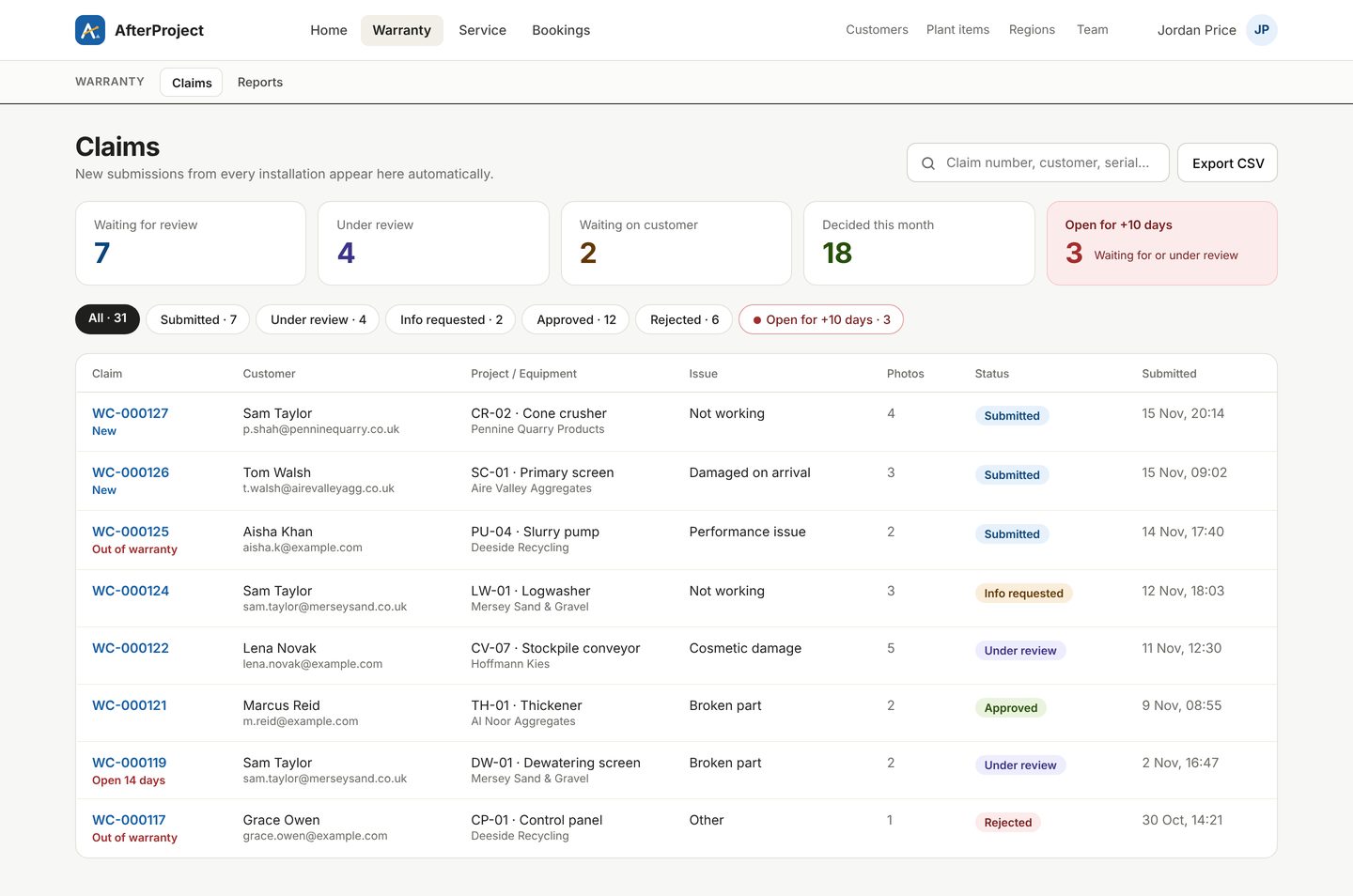
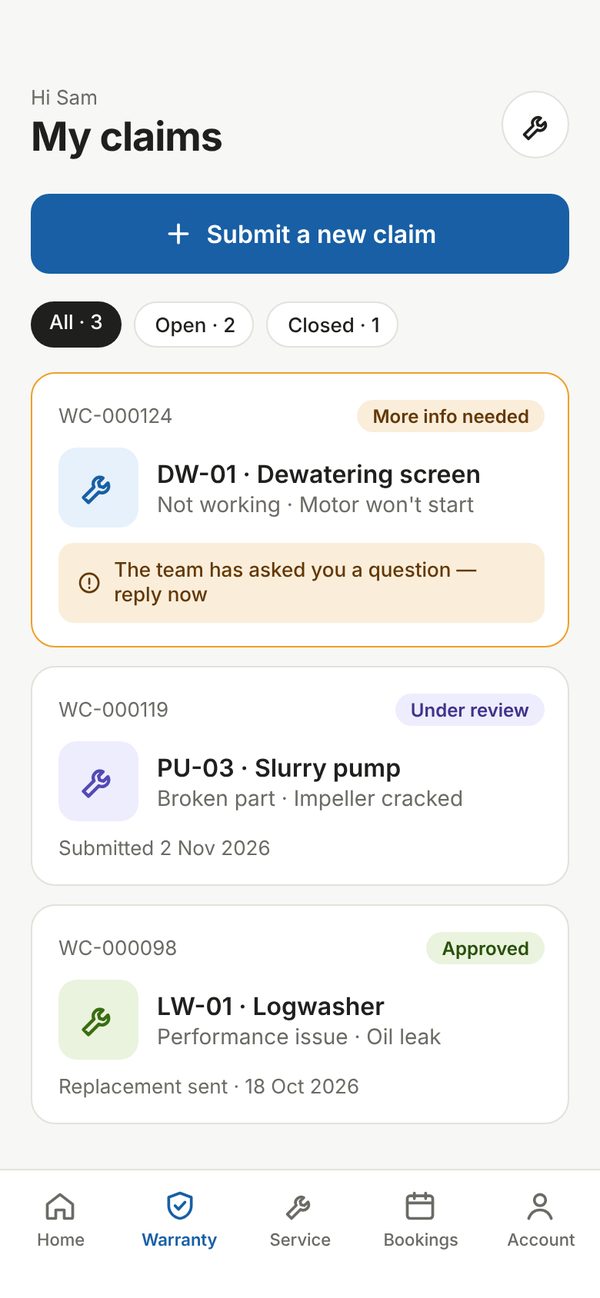
Customers pick the installation and the exact machine, describe the issue and add photos from their phone. Your team sees it instantly.
- Warranty status checked automatically against each installation's dates
- Request more information, approve or reject — the customer is told in the app
- Claims open too long are flagged, with a full timeline of every step
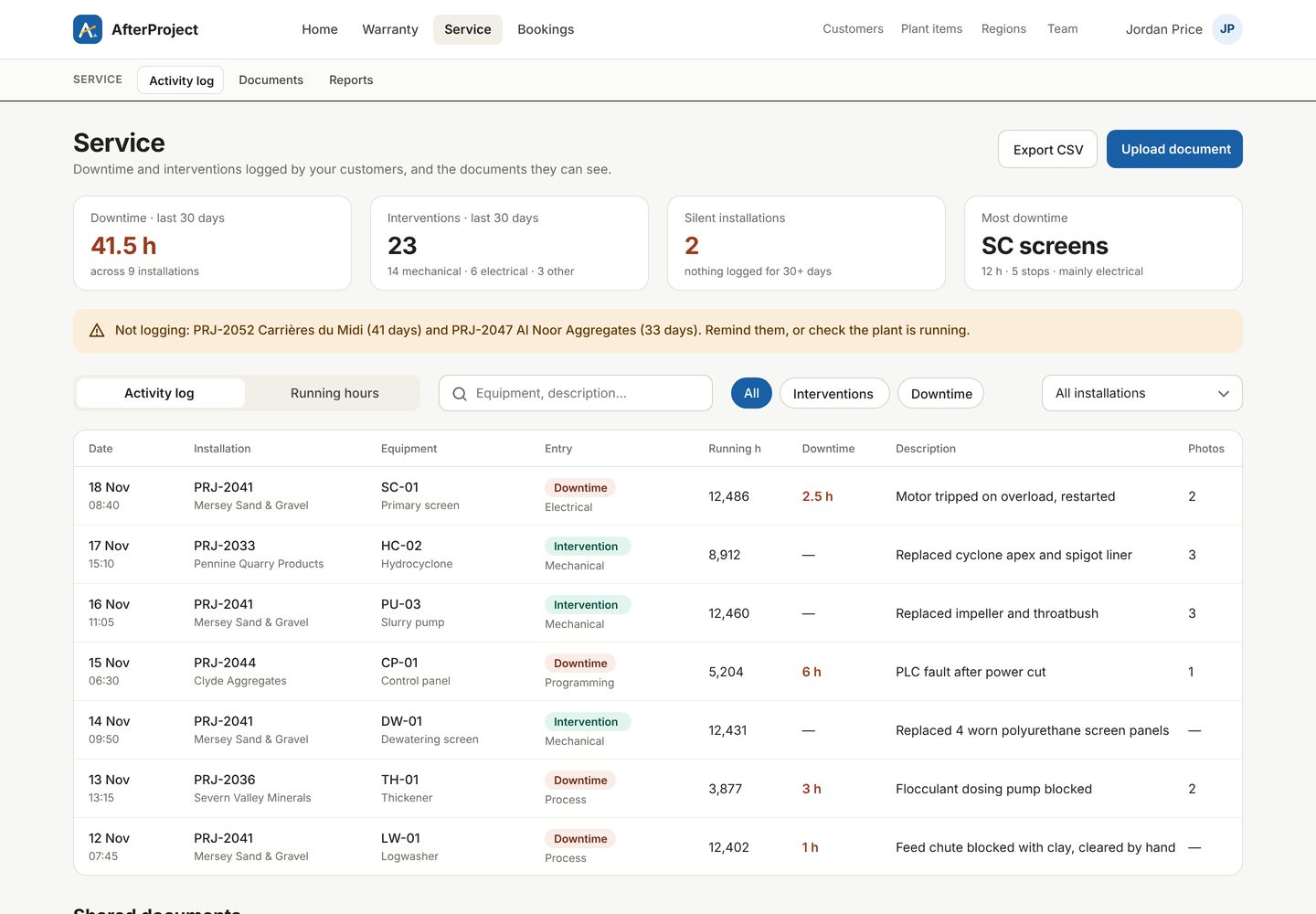
A living service history for every site
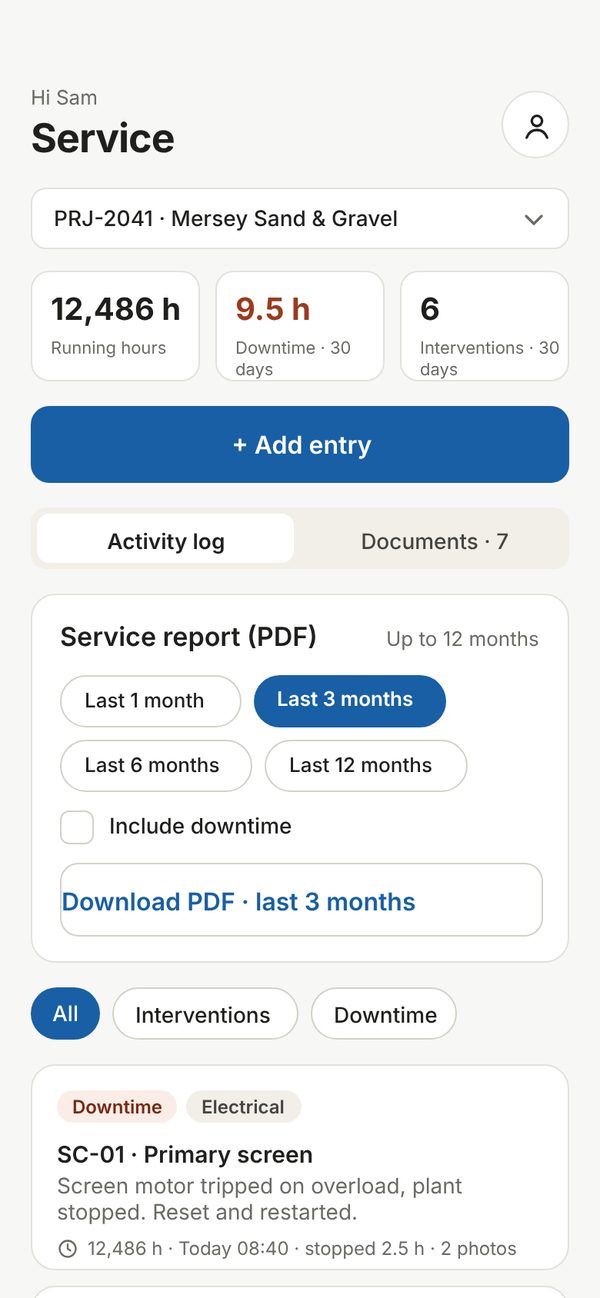
Operators log downtime and interventions as they happen, with running hours and photos. You keep manuals and certificates where they can find them.
- Downtime and interventions per installation and per machine
- Documents and manuals shared with the right customer only
- Customers download a PDF service report for up to 12 months
Engineer visits without the phone tag
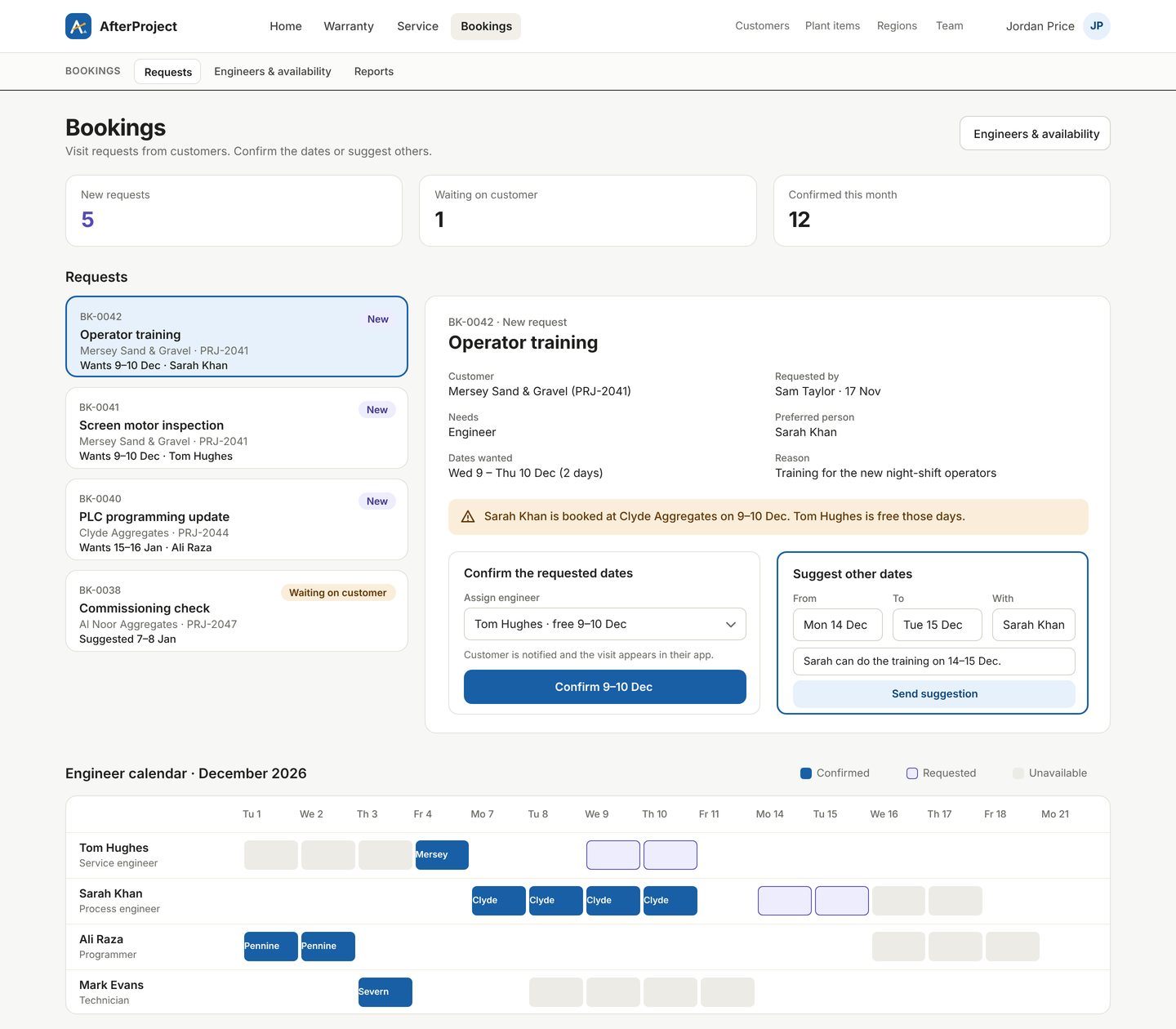
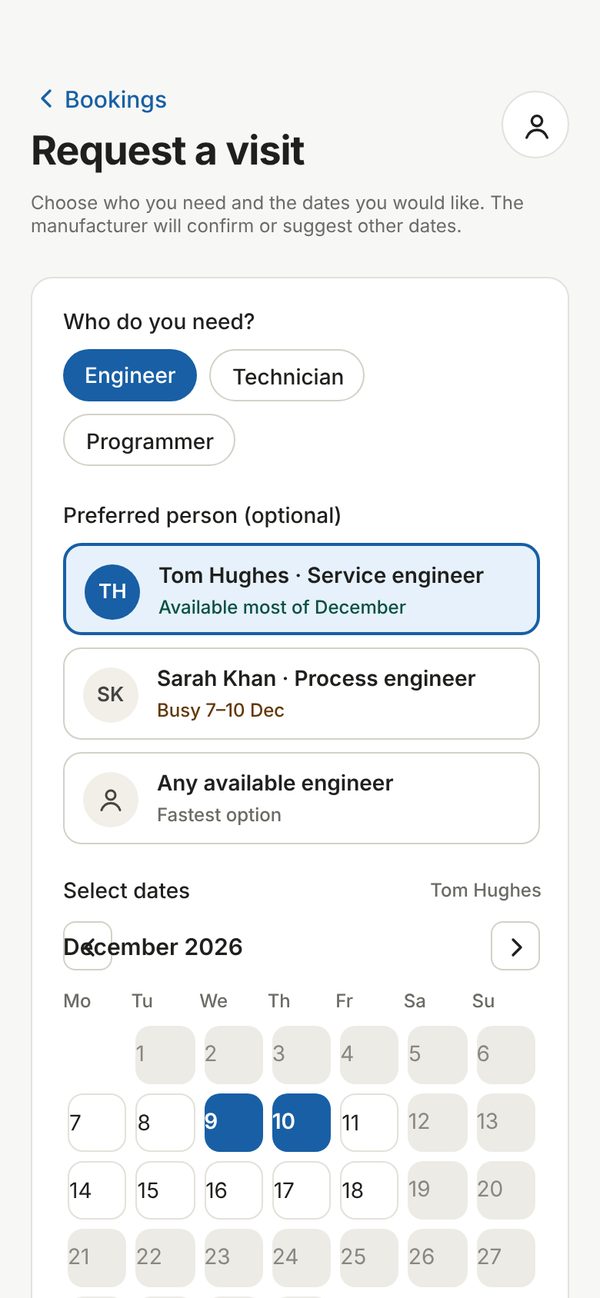
Customers request an engineer, technician or programmer for the dates they need. You confirm, or suggest other dates, with everyone's availability on one calendar.
- Clashes and leave shown before you confirm
- Engineers by role and region, including worldwide cover
- Confirmed visits appear in the customer's app automatically
See your whole installed base at a glance
Claims, interventions and engineer visits by month, customer, machine and region — ready for your next management meeting, with every chart one click from an export.


Every chart runs January to December, with its own year control to look back at previous years. Shown with demo data.
Live in days, not months
No hardware, no installation. Your team works in the browser; your customers use the app.
Add your installations
Customers, sites and warranty dates — import plant items from a spreadsheet.
Invite your customers
Each operator gets an email invite and sees only their own installations.
They report from site
Claims, downtime, interventions and visit requests, with photos, from any phone.
You decide and schedule
Review, approve, book engineers and track it all in reports by month, customer and region.
Your team — the portal
Admins have full control; managers can run bookings and service with view-only access to warranty decisions.
Your customers — the app
iPhone, Android, tablet or web. Free for your customers, however many operators they have.
Built for plant
Installations, plant items, tags and running hours — not generic tickets.
Your customers' data stays separate
Every customer sees only their own sites, claims and documents.
Reports your MD will read
Claims, downtime and visits by month, customer, installation and region.
Works on site
Big buttons, compressed photos and short forms for gloves-on, low-signal use.
Simple pricing per manufacturer
Your customers and their operators always use the app free of charge.
Starter
For manufacturers getting aftercare under control.
- Up to 15 installations
- 3 portal users
- Warranty, Service and Bookings
- Unlimited customer app users
Growth
For growing fleets and busy service teams.
- Up to 100 installations
- 15 portal users
- Reports by month, customer and region
- Everything in Starter
Scale
For international manufacturers with large installed bases.
- Unlimited installations
- Your branding and custom domain
- Priority support
- Everything in Growth
Pilot offer: our first manufacturers get 3 months at half price while we shape the product with them.
Ask about the pilotQuestions
Do our customers have to pay?
No. The manufacturer pays the subscription. Your customers and all their operators use the app for free.
Which devices does it work on?
The customer app runs on iPhone, Android, tablets and in a web browser. The portal for your team runs in any modern browser on desktop or laptop.
Can customers see each other's data?
No. Each customer only sees the installations they've been invited to — their own claims, service log, documents and bookings.
How do we get our existing installations in?
You add customers and installations in the portal, and import plant items from a spreadsheet. On the Starter and Growth plans the setup fee covers us doing the first import with you.
Can different people in our team have different access?
Yes. Admins have full access. Managers can run bookings, engineers, installations and documents, and view warranty and service without changing decisions or regions.
Is there a contract?
Plans are monthly, or annual with two months free. Talk to us about the pilot terms for early customers.
See AfterProject with your own installations
A 30-minute walkthrough of Warranty, Service and Bookings, set up with one of your real sites.
Book a demo
Tell us your company and roughly how many installations you look after. We'll reply within one working day.
Email us to book sales@afterproject.co.ukAlready a customer? Email support at hello@afterproject.co.uk